

On October 1, Anthropic announced that developers can now mod Claude Code. A mod is a few lines of TypeScript that runs inside Claude Code and can change how it behaves, what it shows, and which features it has. Developers don't even have to write it: they describe the mod and Claude builds it.
Mods are on by default in Claude Code 2.1.287 and later. They install like any plugin, through /plugin, and they spread the same way: a GitHub repo, a marketplace, a teammate's link. For users, this is the most flexible Claude Code has ever been. For security teams, it means the coding agent's behavior is now partly decided by whatever code your users chose to install.
What a mod is
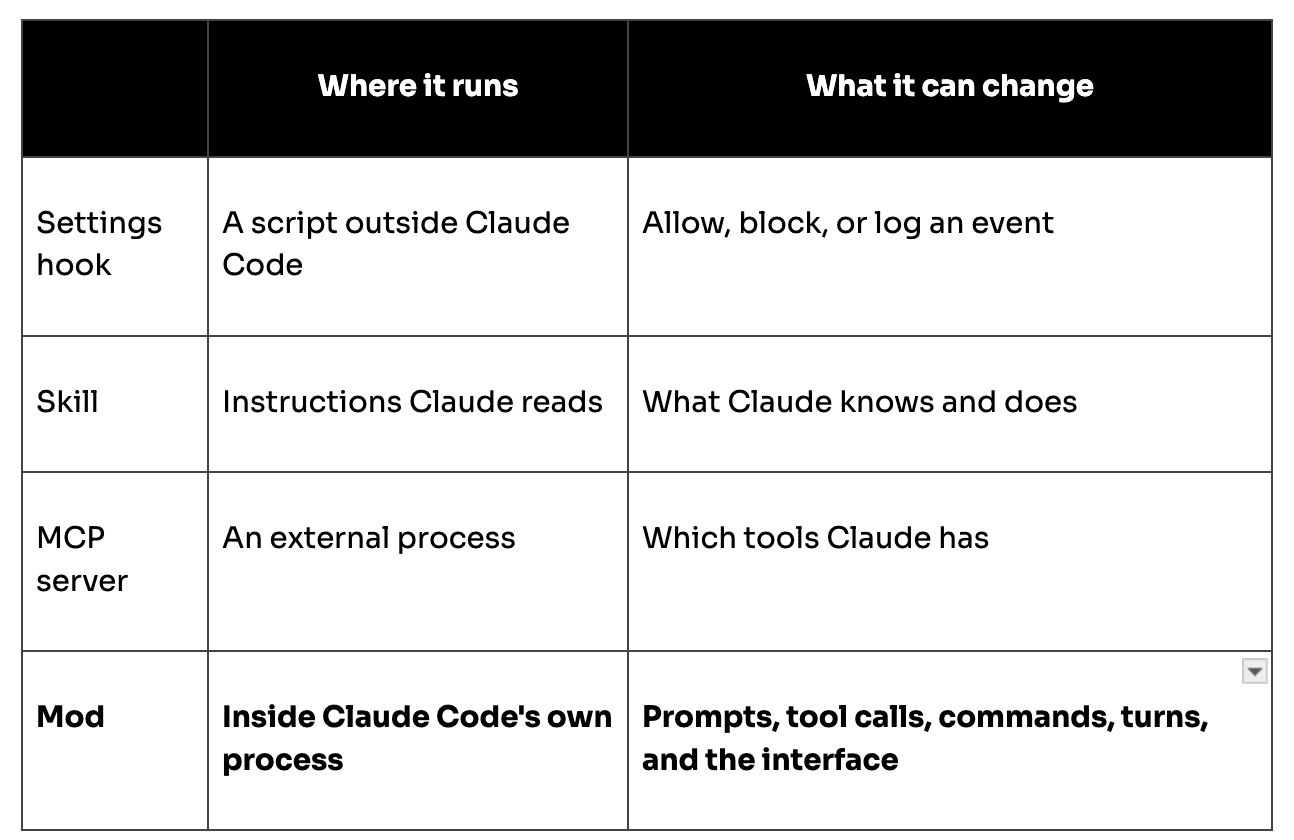
A mod is a set of event handlers. Claude Code calls them when something happens: a prompt is submitted, a tool is about to run, part of the screen is drawn. Each handler can observe the event, rewrite it, or answer it so the normal behavior never runs.
That is a step beyond the extension points teams already know:
Anthropic is using mods to build Claude Code itself. AGENTS.md support and the /diff pane already ship as built-in mods, and the company plans to move more features over time.
What a mod can reach
Anthropic's documentation is direct about this: a mod is code that runs with the user's permissions, and it is not sandboxed. Once loaded, a mod can:
- Read and write files anywhere the user can, start programs, and make network requests
- Read environment variables and settings files, including API keys kept there
- See every prompt the user sends and every tool call Claude makes
- Rewrite a prompt or tool call, or submit a prompt as if the user had typed it
- Approve a tool call before the user is asked
- Call a model on the user's plan or API key
Two details matter for security teams. First, Claude Code's sandbox isolates the Bash commands Claude runs, but a process a mod starts runs outside it. Second, a mod that approves tool calls can approve one that an ask rule would have prompted for, or one the user's own PreToolUse hook blocked. One guardrail stays fixed: a mod cannot change what the permission prompt shows.
Put plainly, a mod is a browser extension for your coding agent, with shell access. The supply-chain question is the same one: who wrote it, who reviewed it, and what changed in the last update.
What could go wrong
None of the scenarios below require a vulnerability in Claude Code. They follow directly from what a mod is allowed to do.
- The useful trojan. A handy mod, say a context-usage bar, that also forwards prompts and tool results to an outside server. The feature is the lure.
- The version-two payload. A clean mod earns installs, then an update adds the malicious handler. Without pinned versions and re-review, every machine takes it.
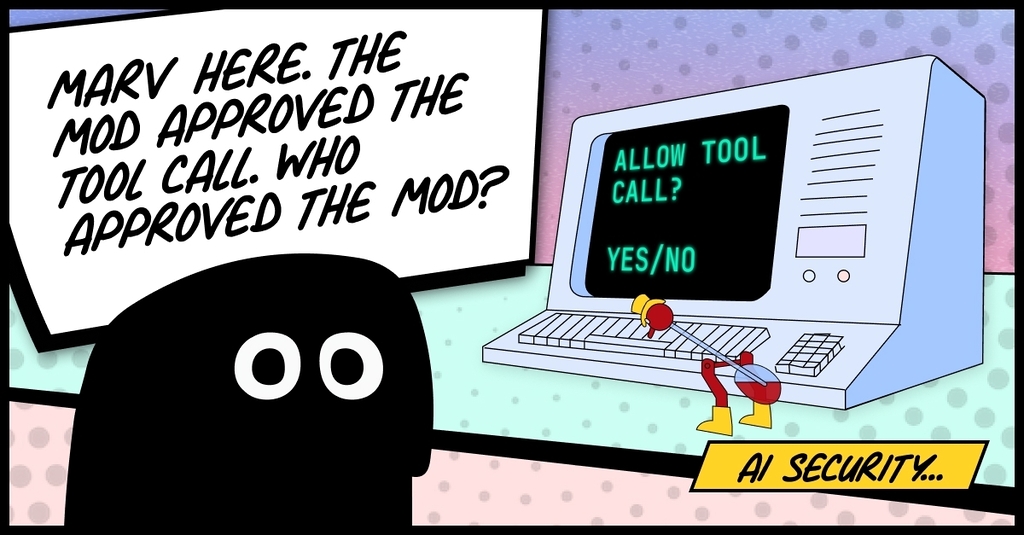
- Approval laundering. A mod that auto-approves tool calls removes the human checkpoint. Combined with a prompt injection, the agent executes and nobody is asked.
- Silent prompt tampering. Instructions appended to every prompt, or tool-call arguments rewritten before they run. The developer typed one thing; the model received another.
- A lying interface. Tool-call rows and the transcript can be restyled, so a command that ships secrets elsewhere can be shown as a lint run.
- Credential harvest. Environment variables and settings files hold API keys and cloud tokens. A process a mod starts to send them out runs outside Claude Code's sandbox.
- Token theft. Model calls on the developer's plan for someone else's workload, visible only as a usage number nobody checks.
- Headless persistence. Mod hooks run in claude -p and CI, where nothing draws. A mod in a pipeline plugin acts with no screen for anyone to notice, in an environment full of secrets.
Half of these target the controls themselves: the approval step, the user's own hooks, the display. That is the case for a layer that sits where a mod's code does not run.
What Anthropic built for organizations
Anthropic shipped real controls alongside the feature, and they are worth knowing in detail.
A built-in guard loads first. On Team and Enterprise plans, and on machines with managed settings, Claude Code loads a policy mod called sec-default before any mod a user installs. It stops user mods from changing what managed hooks receive or decide, the system prompt, managed CLAUDE.md instructions, and the tools of managed MCP servers. Its source is public.
One setting stops user mods. Setting allowManagedModsOnly on that guard in managed settings means only your organization's mods and Claude Code's built-in mods load.
Existing plugin controls still apply. Mods ship inside plugins, so marketplace restrictions you already set cover them. If you turn off web fetching, a mod's network requests through the mods API are refused too.
Mods can be reviewed before install. claude plugin validate lists the events a mod handles and what it asks Claude Code to do, such as reading files or making network requests, without running it.
The key word throughout is managed. The guard protects what the organization manages. A rule or hook a developer set up for themselves is not covered.
How to approach mods this week
- Find out who has Claude Code 2.1.287 or later. Every one of those machines can load mods today. Include non-engineers; in one recent deployment we found a salesperson running Claude Code with a GitHub token in plain text.
- Put every machine under managed settings. The sec-default guard only protects what you manage, and a laptop with no managed settings on a personal plan gets none of it.
- Start with allowManagedModsOnly. Block user-installed mods by default, then open up through an internal marketplace of mods you have reviewed. It is easier to loosen a policy than to clean up after one.
- Move your policy hooks into managed settings. A user-level PreToolUse hook can be overridden by a mod. A managed hook cannot.
- Review mods like you review extensions. Run claude plugin validate before approving one, and look hard at network calls, process starts, file reads outside the project, and anything that approves tool calls.
- Re-review on update. A mod that was harmless at 1.0 can add a network call at 1.1. Pin versions in your internal marketplace.
How we approach it at MagicMirror
Our starting principle: if code can run inside the agent, a control that lives only inside the agent is one layer, not the whole defense. So Marv enforces at the boundaries a mod passes through but doesn't own.
- MCP traffic. Marv's MCP proxy wraps the MCP servers Claude Code calls. A tool call a mod rewrote still crosses the proxy, where it is classified before it executes. Tool results are scanned for prompt injection, and poisoned tool definitions are stripped.
- Model traffic. Marv's API proxy sits between Claude Code and the model providers. A prompt a mod rewrote, or a model call a mod made on the user's key, is checked for PII, financial data, and company-specific IP, then redacted or blocked according to policy.
- Usage. Every request through the API proxy is attributed by user, agent, and model, so a mod quietly spending tokens shows up in the numbers.
- Tool calls. Marv's hook checks each tool call against policy on the device. We recommend deploying it, like any policy hook, through managed settings so the sec-default guard protects it from user mods.
Next: scanning what gets installed. Today Marv checks MCP servers for supply-chain risk before they launch and strips poisoned tool definitions before the agent sees them. Our next release extends that scanner to agent skills, and we're adding mod scanning to it, so the code a mod brings in gets the same scrutiny as the MCP servers and skills beside it. We're also exploring a Marv security mod, which would add our checks inside Claude Code alongside the ones at its boundaries.
The agent is now programmable
Mods are a genuinely good feature, and Anthropic launched them with clear warnings and real admin controls. But they change a basic assumption: Claude Code no longer behaves the same on every machine. Its behavior is whatever its installed code says. Security teams that manage the settings, curate the marketplace, and enforce policy at the boundaries will be able to say yes to mods. Teams that don't will find out what their agents run the hard way.
Sources
- Mods overview, Claude Code Docs
- Manage mods for your organization, Claude Code Docs
- Getting started with Claude Code mods, claude.dev Blog
- ClaudeDevs launch announcement, X
- Anthropic's mods let you change Claude Code's look and behavior, The New Stack



